Activity 3 - Foundations of Google Analytics 4 + Setup
2. Practical Implementation of GA4
In this section, you will set up the foundation of your GA4 measurement system.
This is a technical but strategic process — decisions made here will directly affect data quality, reporting accuracy, and future analysis.
👉 Follow the steps exactly in the given order.
👉 Do not skip any step, even if it seems simple.
To implement GA4 correctly within your Strategic Analytics Plan, follow these four core steps:
Step 01: Sign in
What you do:
-
Sign in to your Google account
-
Start the Google Analytics measurement setup
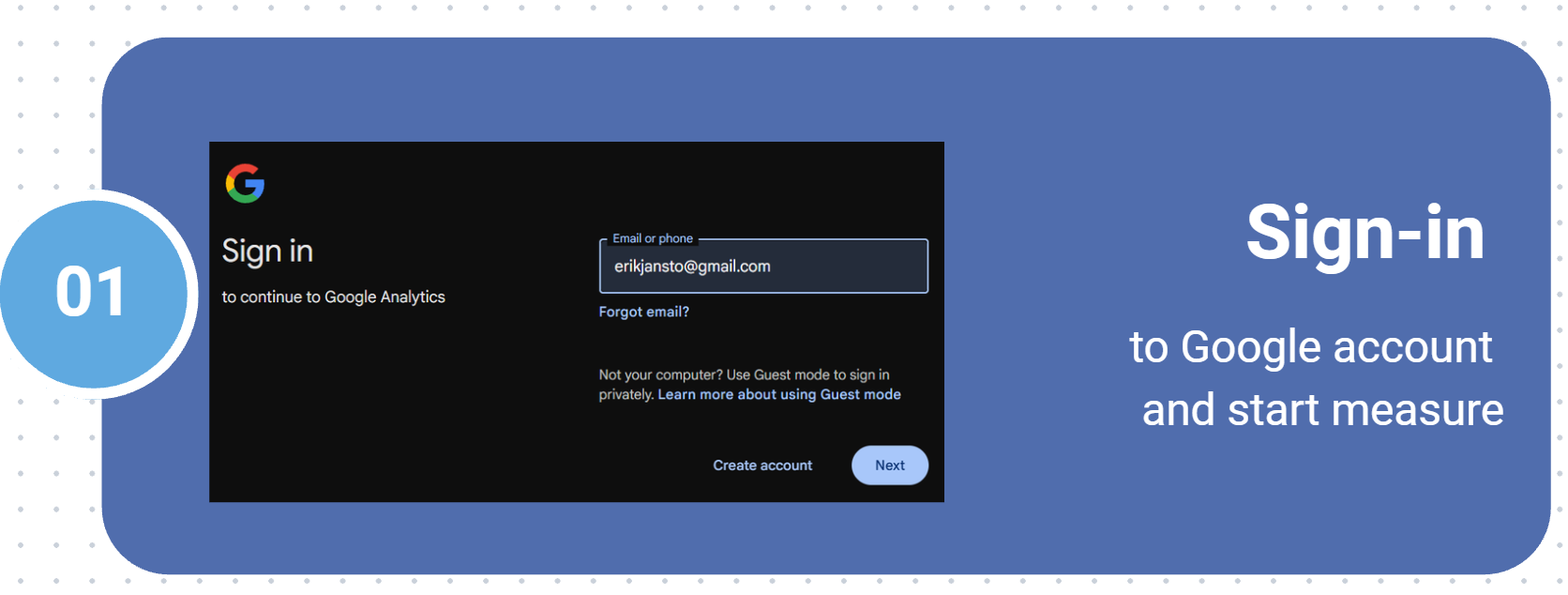
Use a company-owned Google account, not a personal one, especially for long-term projects.
Make sure you have administrator rights, otherwise you won’t be able to complete later steps.
Step 02: Create a GA4 Account
What you do:
-
Click Create account in Google Analytics
-
Start creating a new GA4 account in your Analytics interface
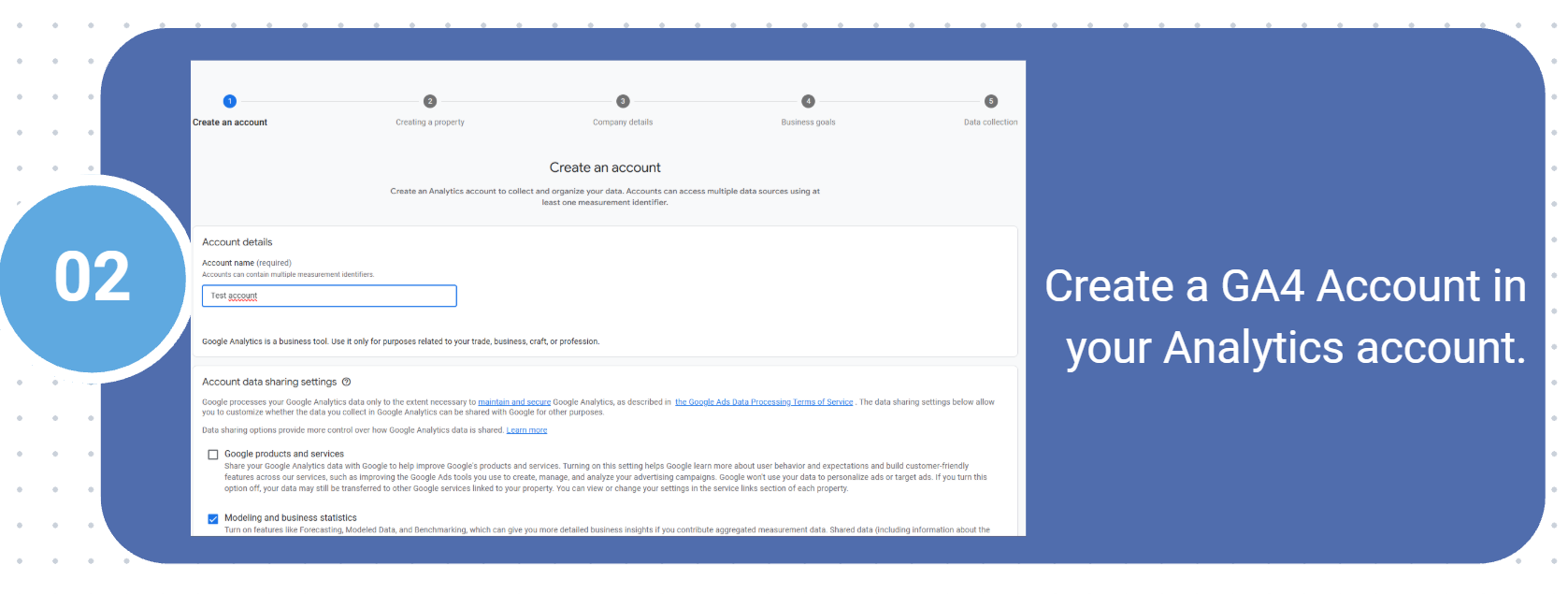
One GA account can contain multiple properties (e.g. website, e-shop, mobile app).
Step 03: Set Property Details
What you do:
-
Enter the Property Name
-
Select Reporting Time Zone
-
Choose the Currency
-
Click Next
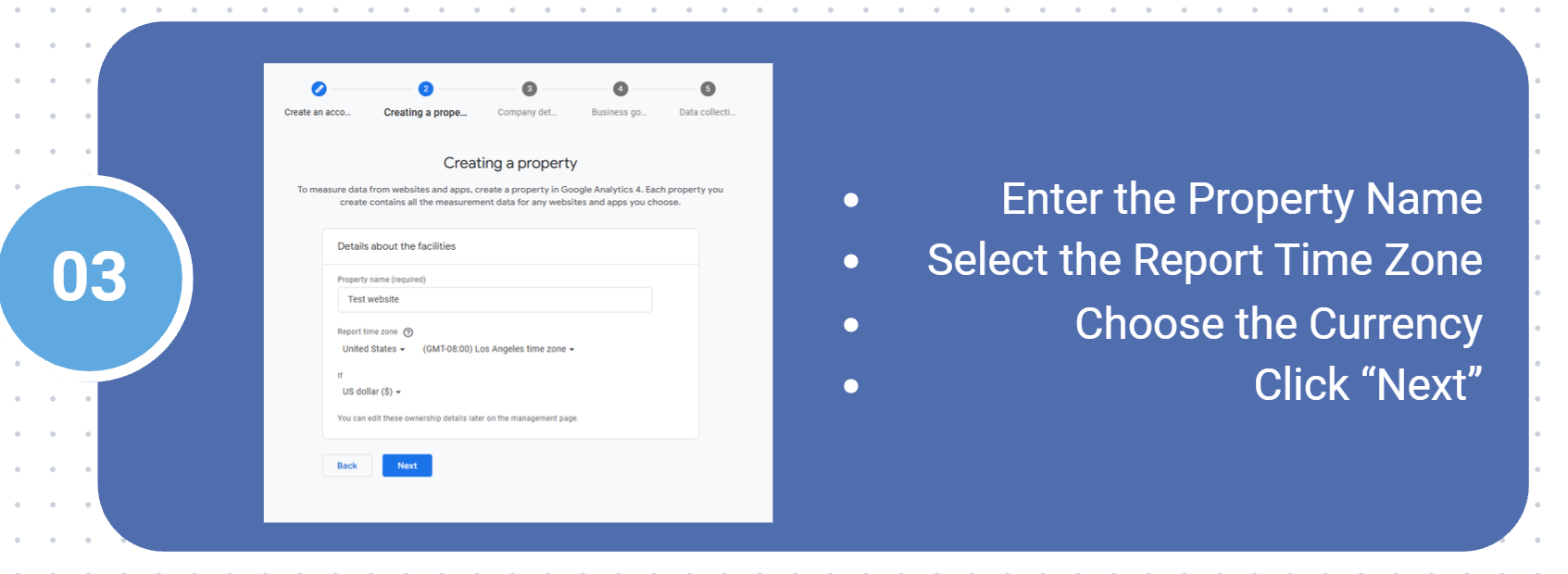
Time zone choice is critical — changing it later can break data continuity.
Always select the time zone where business decisions are made, not where the server is hosted.
Step 04: Business Information
What you do:
-
Select Your Industry Category
-
Choose Company Size
-
Review entered information
-
Click Next
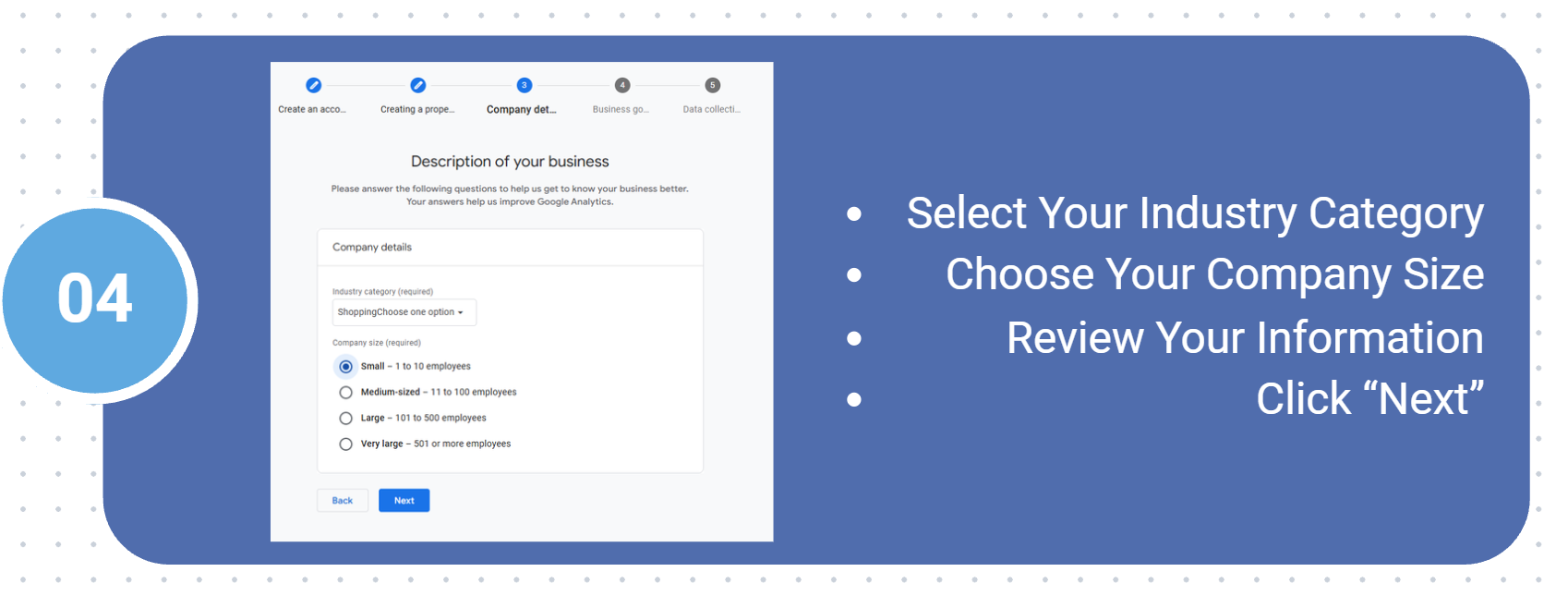
Industry selection helps Google provide benchmarking and recommendations.
Step 05: Choose Business Goals
What you do:
-
Select your Business Goals (e.g. generate leads, increase sales, examine user behavior)

These goals influence preconfigured reports in GA4.
You can change goals later, so this step is about convenience, not limitation.
Step 06: Accept Terms & GDPR Consent
What you do:
-
Read the Google Analytics Terms of Service
-
Accept GDPR data processing terms
-
Confirm your consent
-
Click “I agree” to proceed
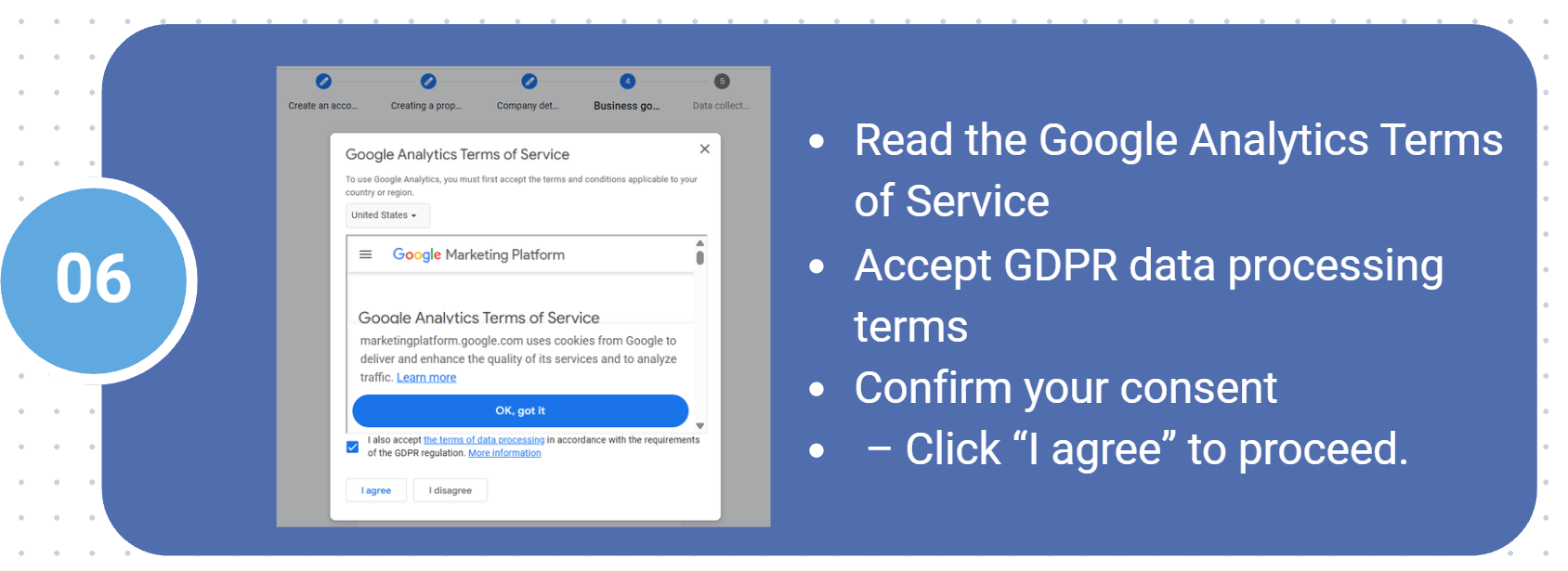
This step is mandatory for legal compliance (GDPR) in the EU.
GA4 does not automatically make your site GDPR-compliant — consent management must still be handled on the website (e.g. cookie banner).
Completing these steps does NOT mean data is already being collected.
You have only created the measurement container.
👉 The next critical phase is:
-
Creating a Data Stream
-
Installing GA4 via:
-
gtag.js, or
-
Google Tag Manager
-
Continue to: