Activity 5 - Admin setup and navigation
The Admin section in GA4 is the control center of the entire analytics setup.
This is where you define who has access, how data is collected, how it is displayed, and which external tools are connected.
In this activity, you will explore (not modify) the Admin settings using a Google demo account, so you can safely understand GA4’s structure.
click here: Google Analytics property: Google Merchandise Store (web data)
-
Open the Google Merchandise Store (web data) GA4 property
-
Look at the bottom-left corner
-
Click Admin (gear icon)
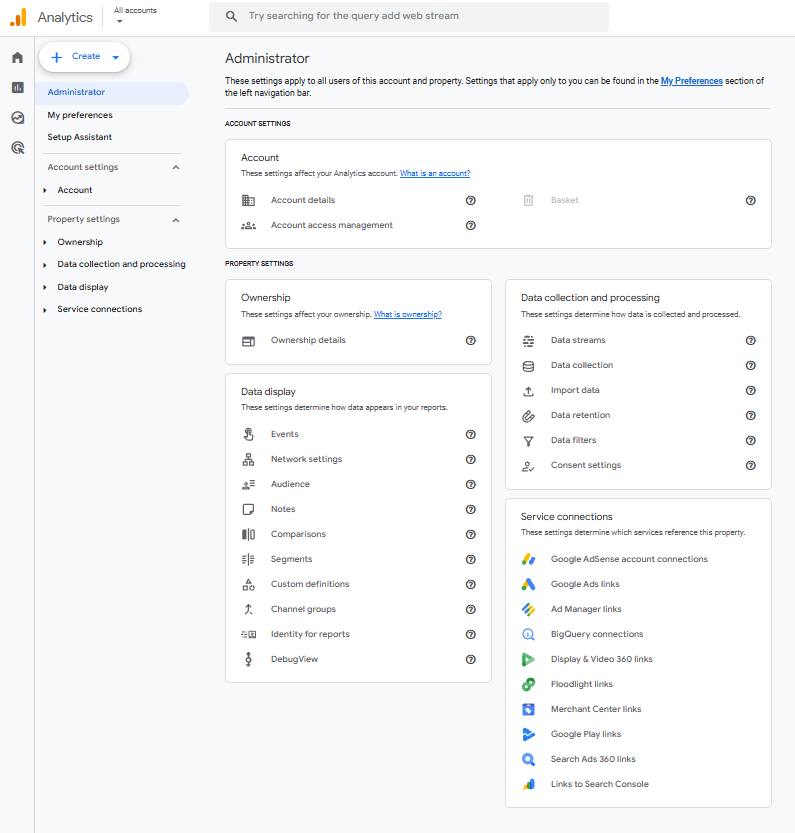
Account Settings
The Admin section is the configuration layer of GA4. It controls:
-
access rights,
-
data collection logic,
-
data processing rules,
-
reporting structure,
-
and integrations with other platforms.
 a
a
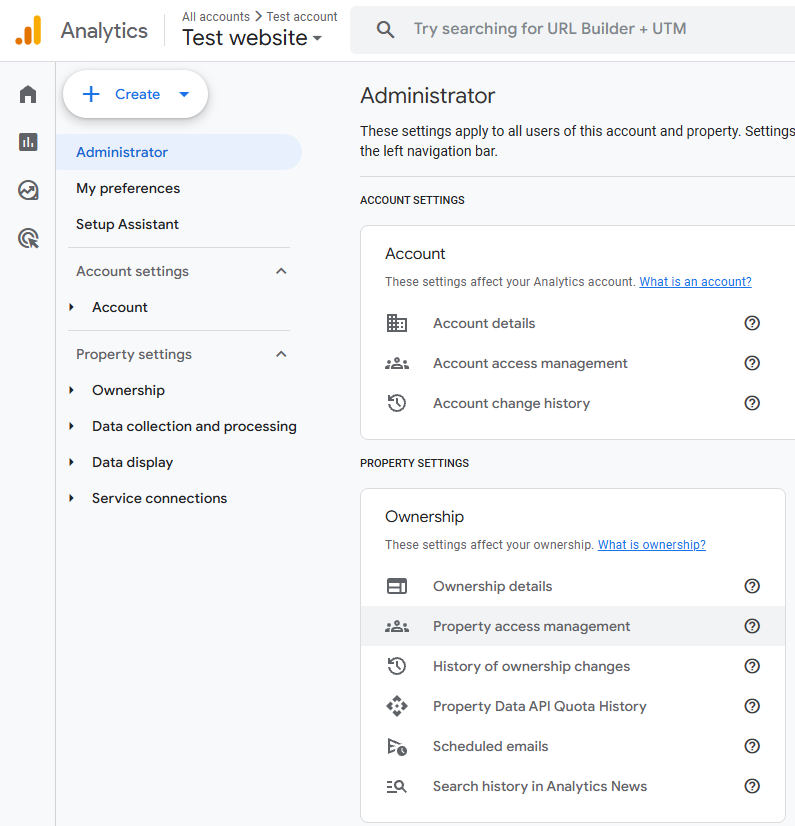
Property Access Management
Property access management controls permissions within a single GA4 property.
This is where most team members are added.
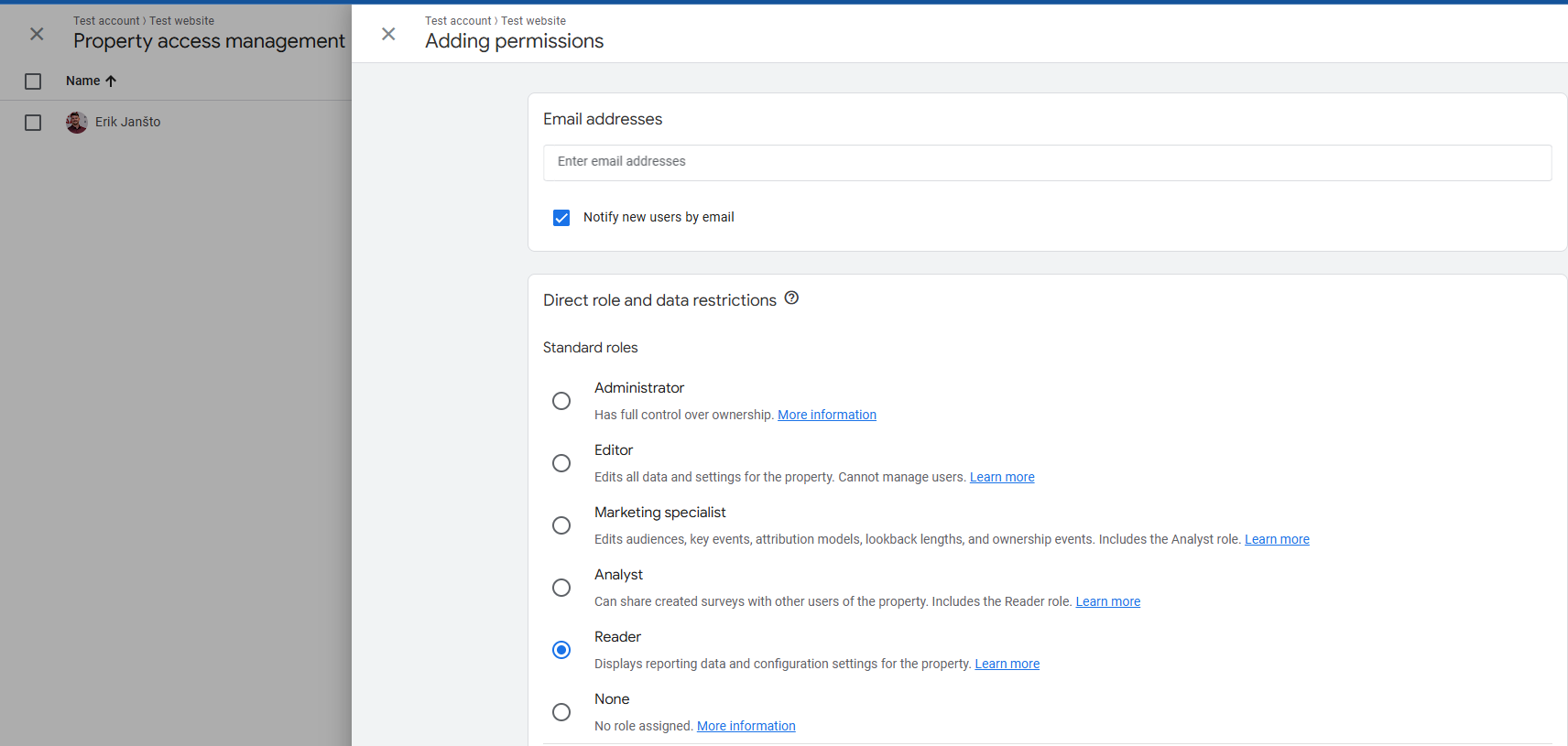
When adding a user, GA4 requires:
-
an email address
-
a role selection
Each role defines what actions a user is allowed to perform.
-
Administrator – Has full control over the GA4 property, including managing users, ownership, data collection settings, and all configurations; this role should be assigned only to data owners or lead analysts due to its high level of responsibility.
-
Editor – Can modify data settings, events, and configurations within the property but cannot manage user access; suitable for technical analysts or implementation specialists.
-
Marketing Specialist – Can manage audiences, key events (conversions), attribution models, and lookback windows, focusing on campaign optimization rather than technical infrastructure.
-
Analyst – Can explore data, create and share explorations, and analyze reports but cannot change configuration settings; ideal for analysts, students, and reporting-focused users.
-
Reader – Has read-only access to reports and settings, allowing data viewing without the ability to make changes; appropriate for managers and stakeholders.
-
None – Has no permissions assigned and cannot access the property; typically used as a temporary or transitional access state.
Data collection - Google signals
The Data collection section defines what type of user data GA4 is allowed to collect and how users are identified across sessions and devices.
This area is critical because it directly affects:
-
data accuracy,
-
cross-device tracking,
-
audience building,
-
advertising integrations,
-
and legal compliance (GDPR, consent).
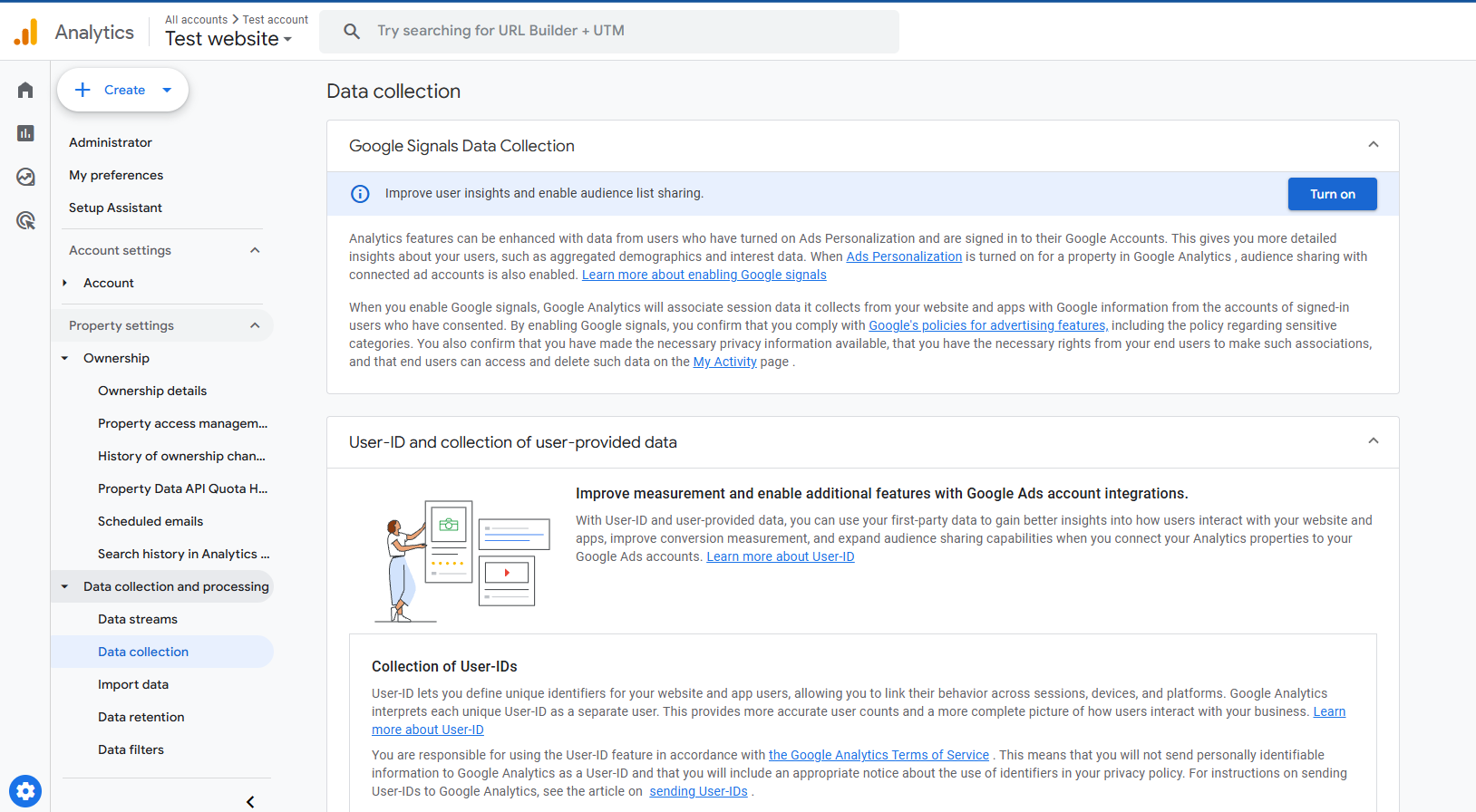
When Google Signals is enabled and user consent is granted, GA4 can provide a richer view of users beyond basic technical data. This includes demographic information such as age groups and gender, as well as interest-based insights like affinity categories and in-market segments.
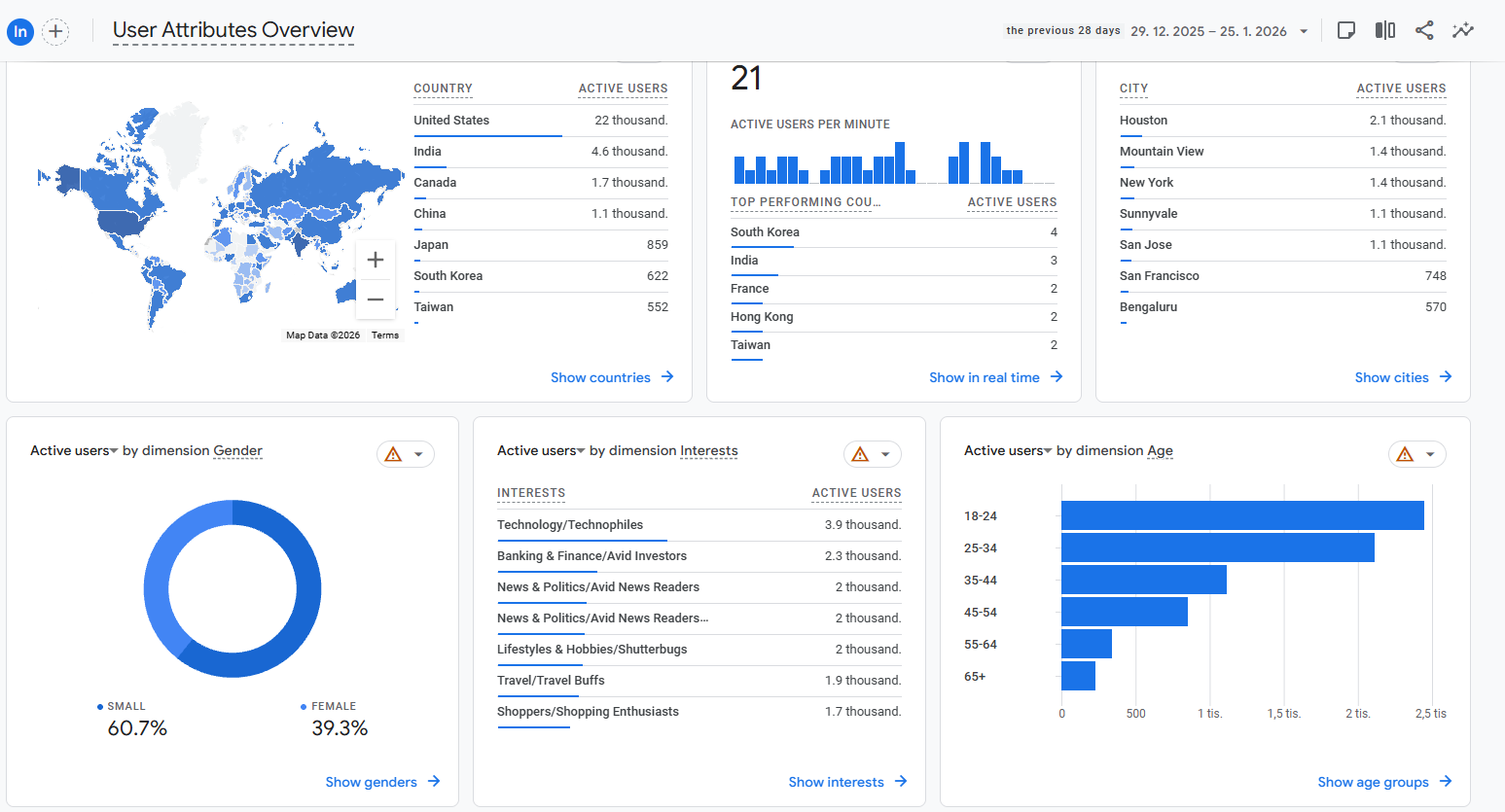
Google Signals also improves cross-device tracking, allowing GA4 to better recognize the same user across multiple devices and create more complete user journeys. In addition, it enables audience sharing with Google Ads, supporting remarketing and advertising personalization, all while using aggregated and privacy-compliant data.